llm-wiki
A shared human and AI memory, and the ecosystem it needs
November 12, 2026
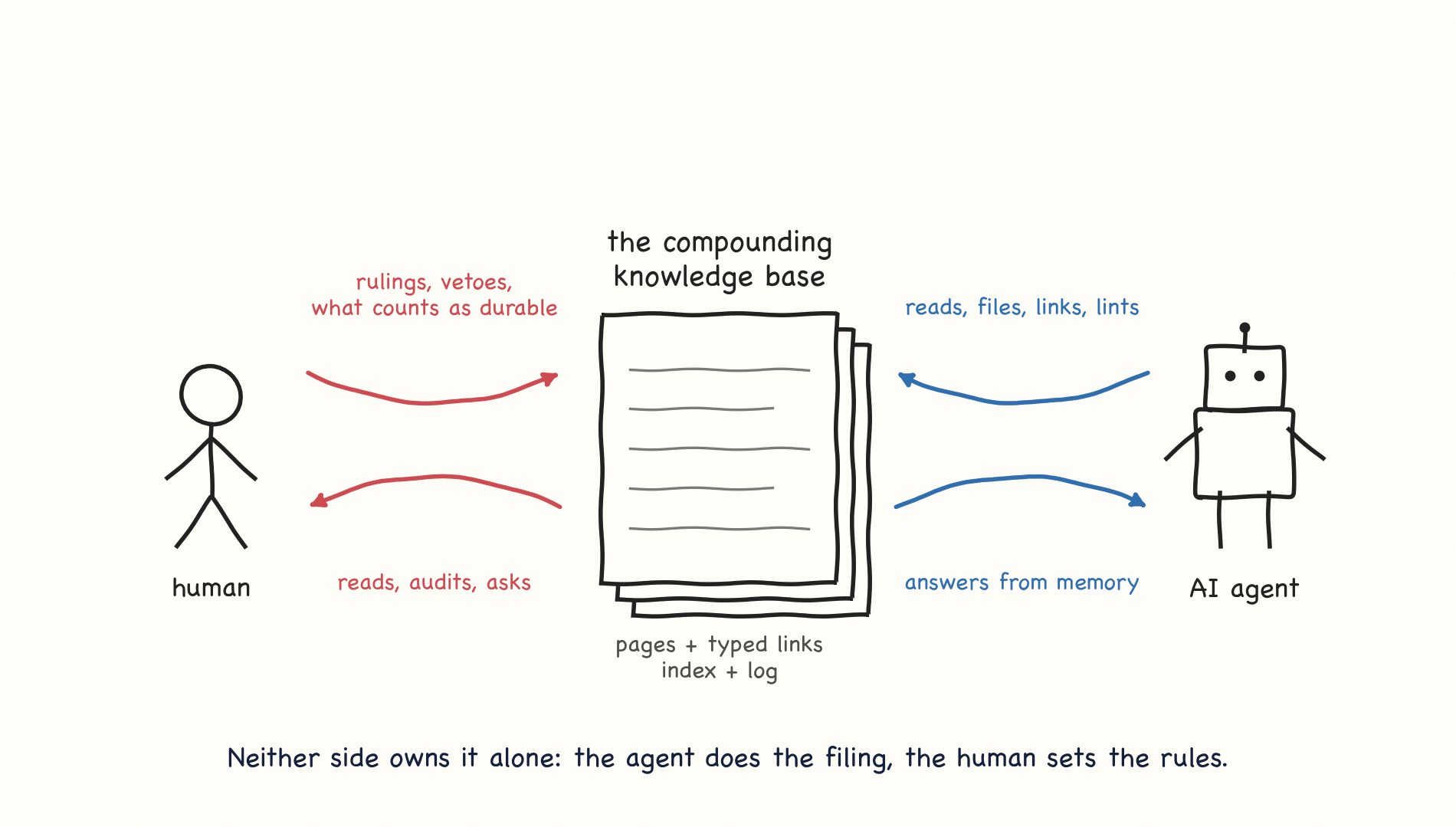
What llm-wiki is
A compounding knowledge base, written by the agent and ruled by the human
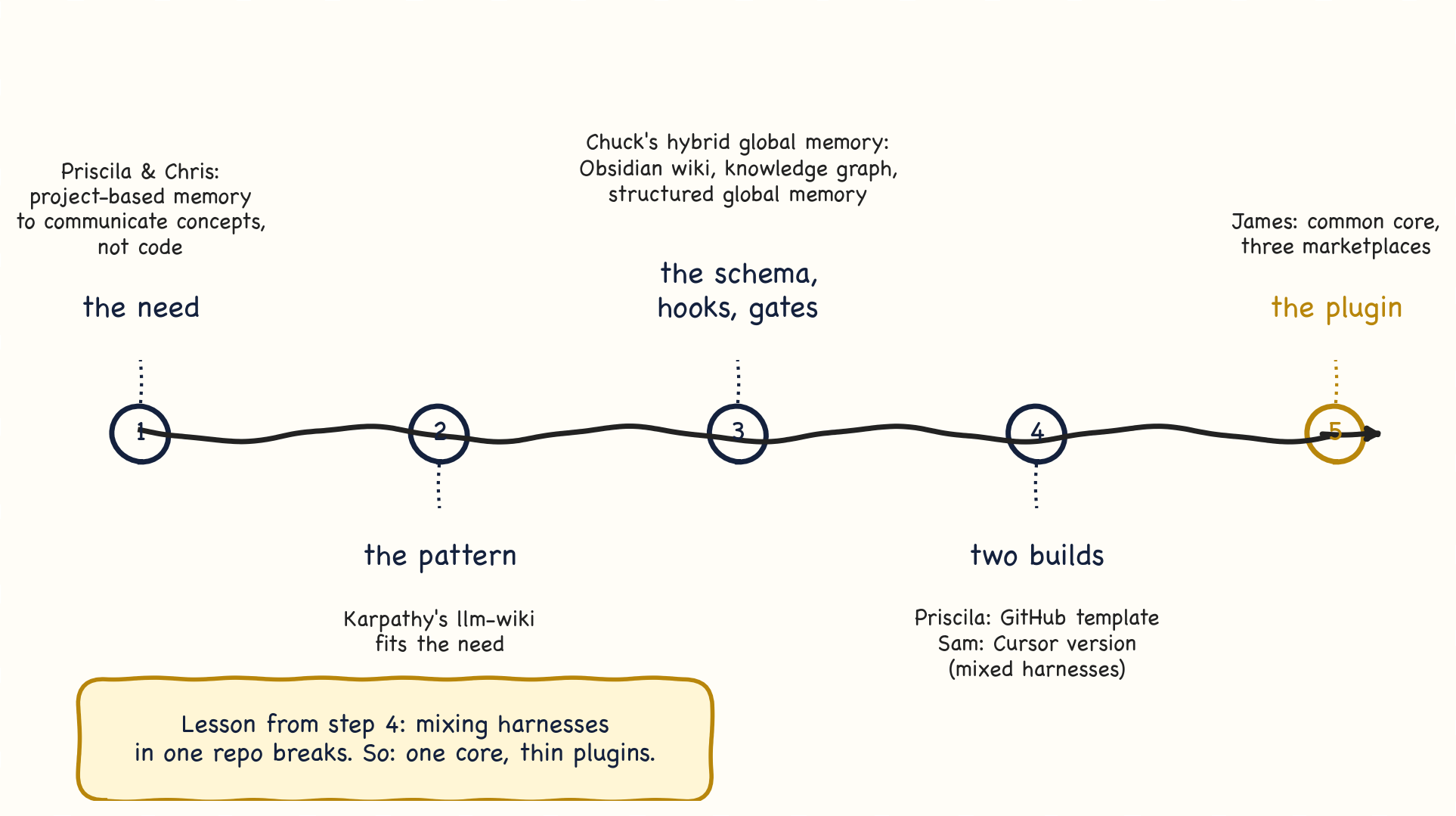
Where llm-wiki came from
Five steps, four people, one lesson
Installation is now easy
Everything from inside the Codex or Claude app: marketplace, plugin, skills, hooks
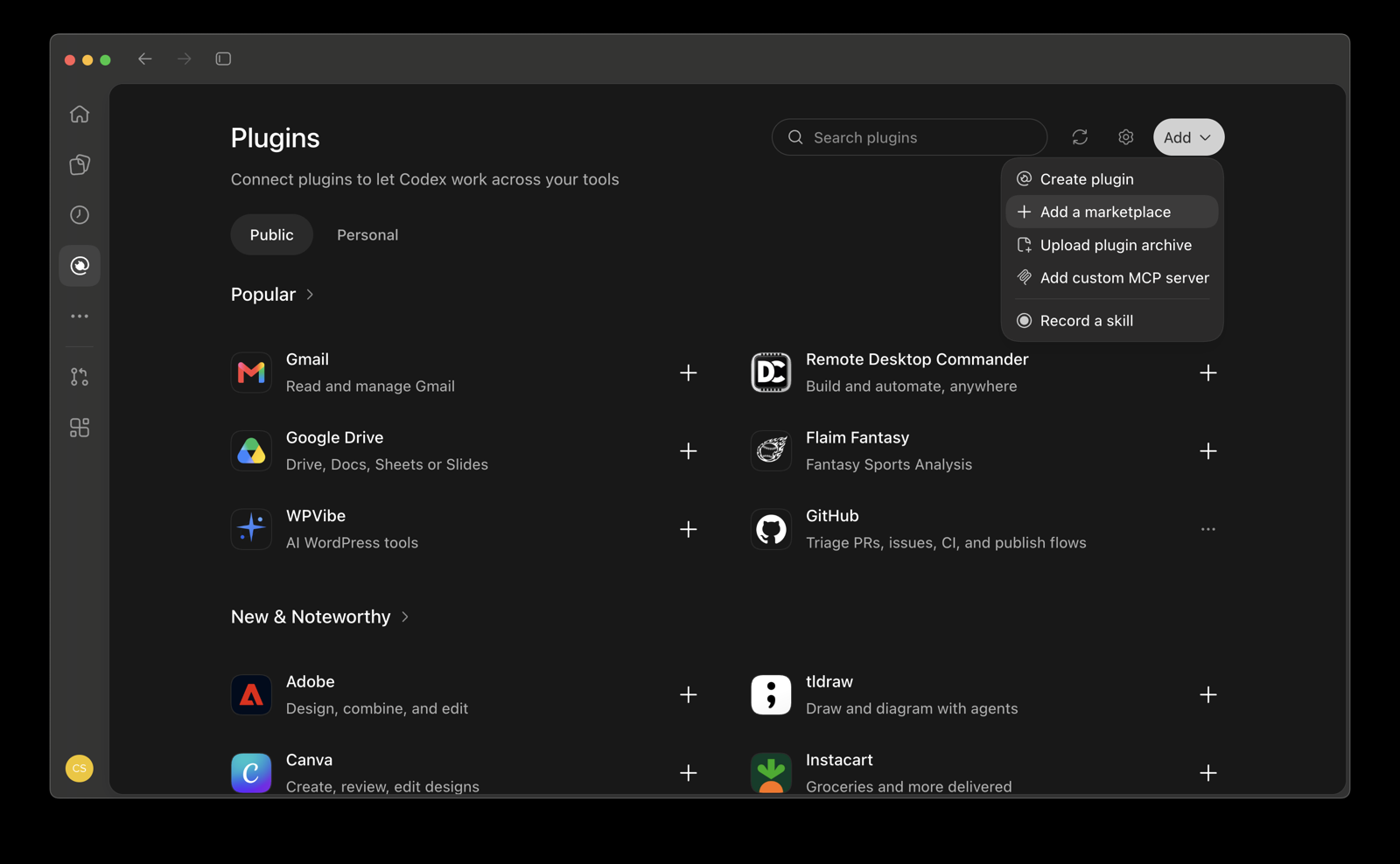
1. Add the marketplace. Plugins, Add, then paste the llm-wiki-colab repository address.
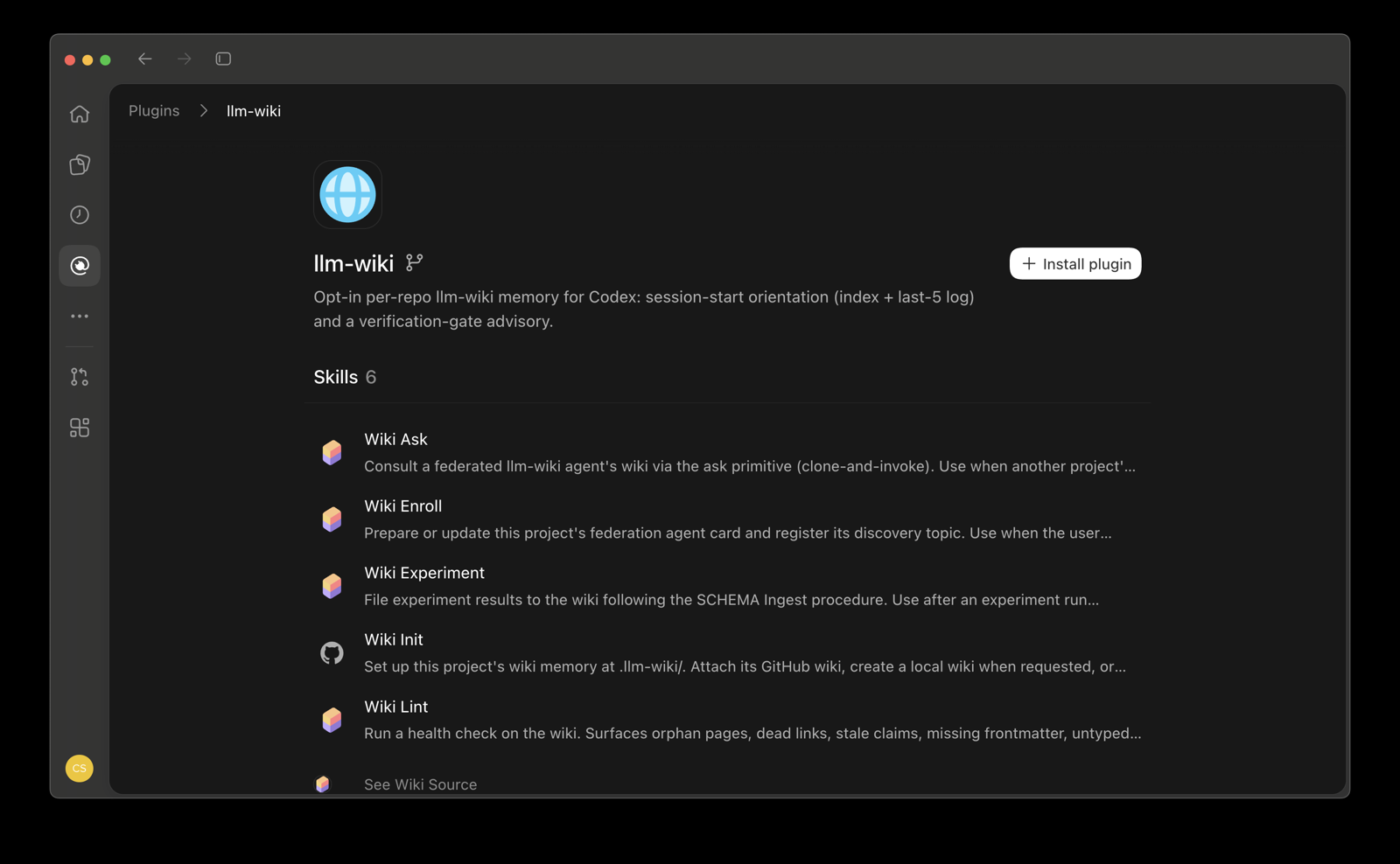
2. Install the plugin. Open llm-wiki under Personal and choose Install plugin.
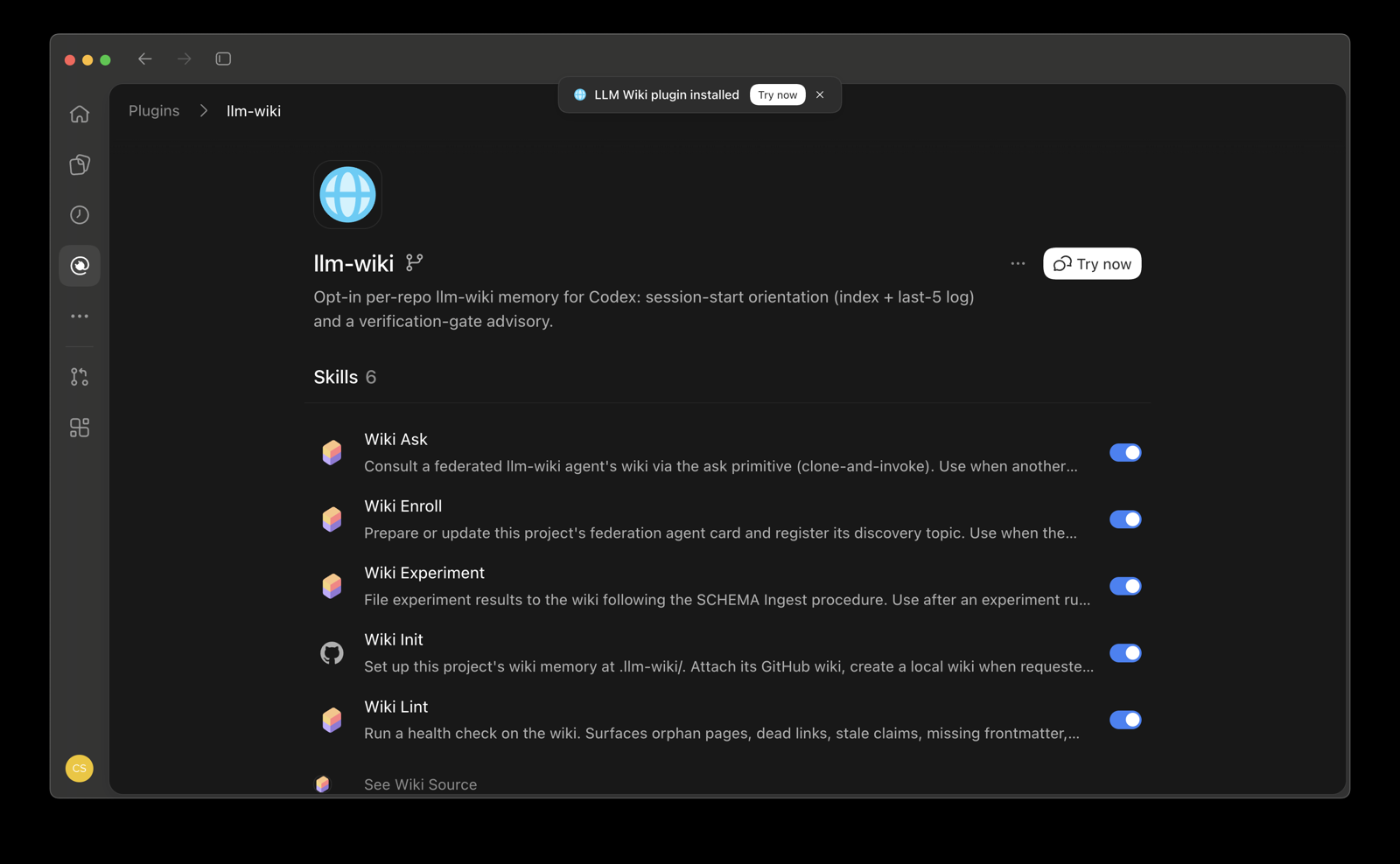
3. Pick the features. Each skill has its own switch: wiki-init, wiki-source, wiki-experiment, wiki-lint, wiki-ask, wiki-enroll.
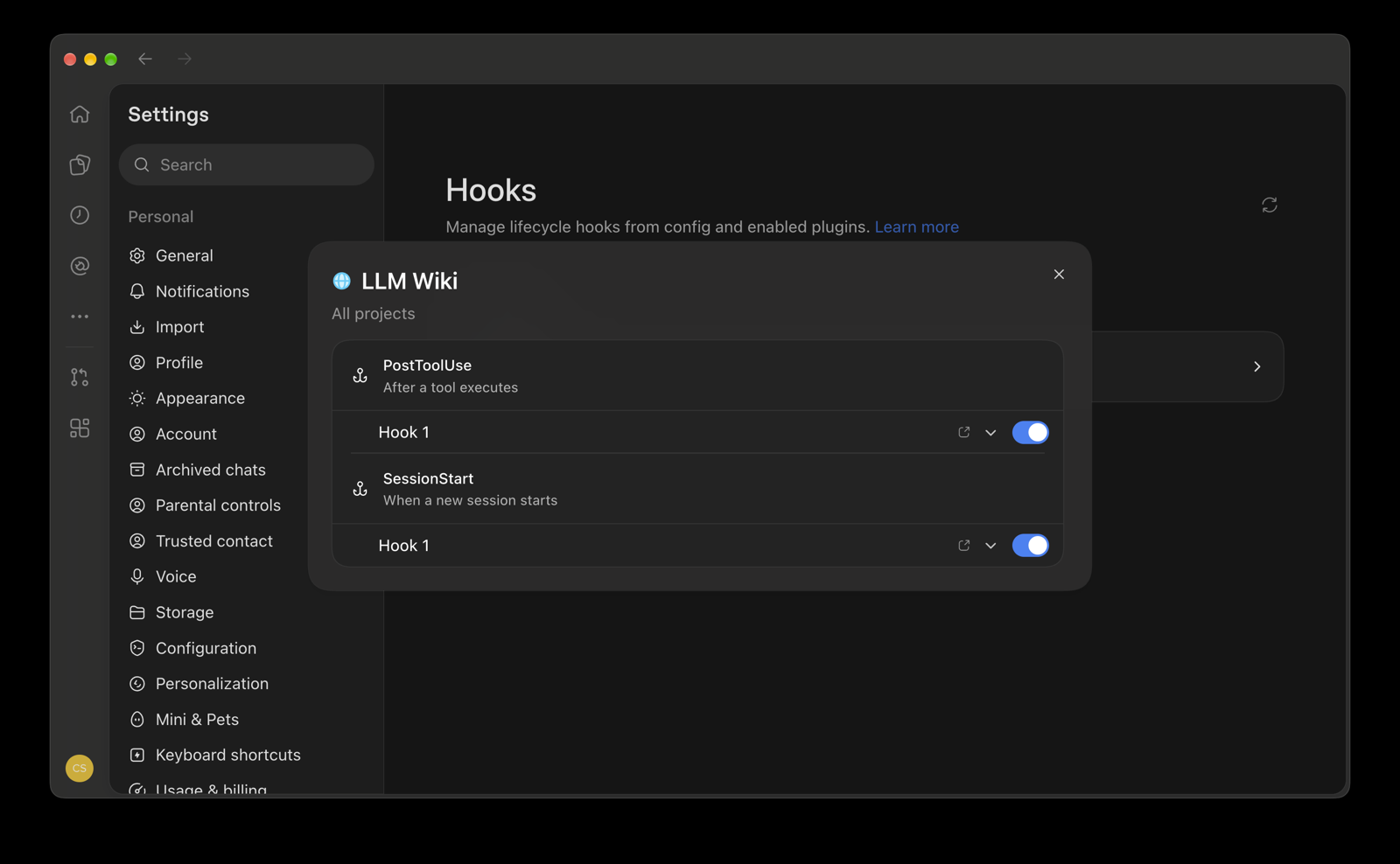
4. Check the hooks. SessionStart loads the index and recent log; PostToolUse runs the verification gate.
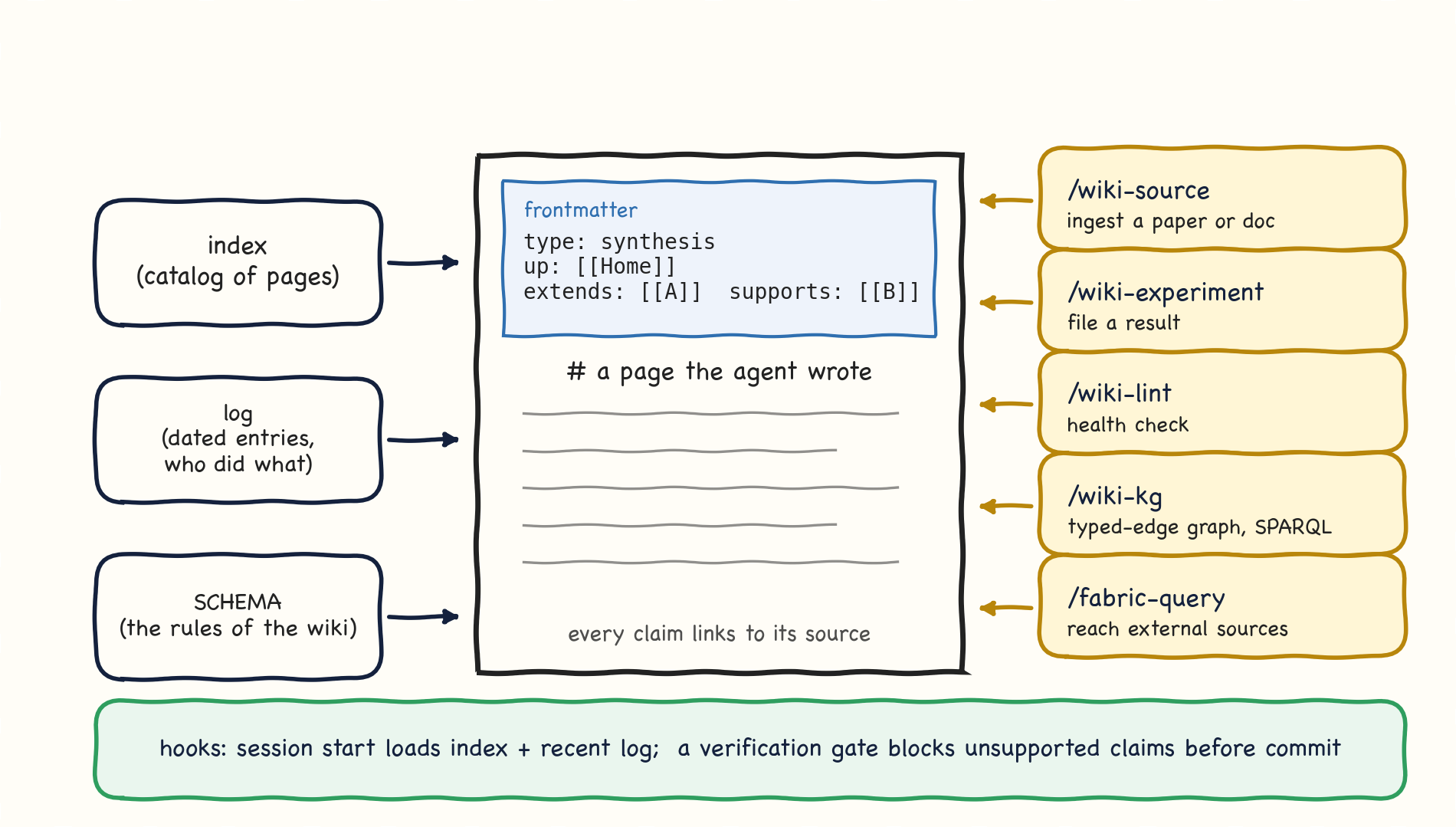
What the plugin gives you
Core functionality, plus helpers
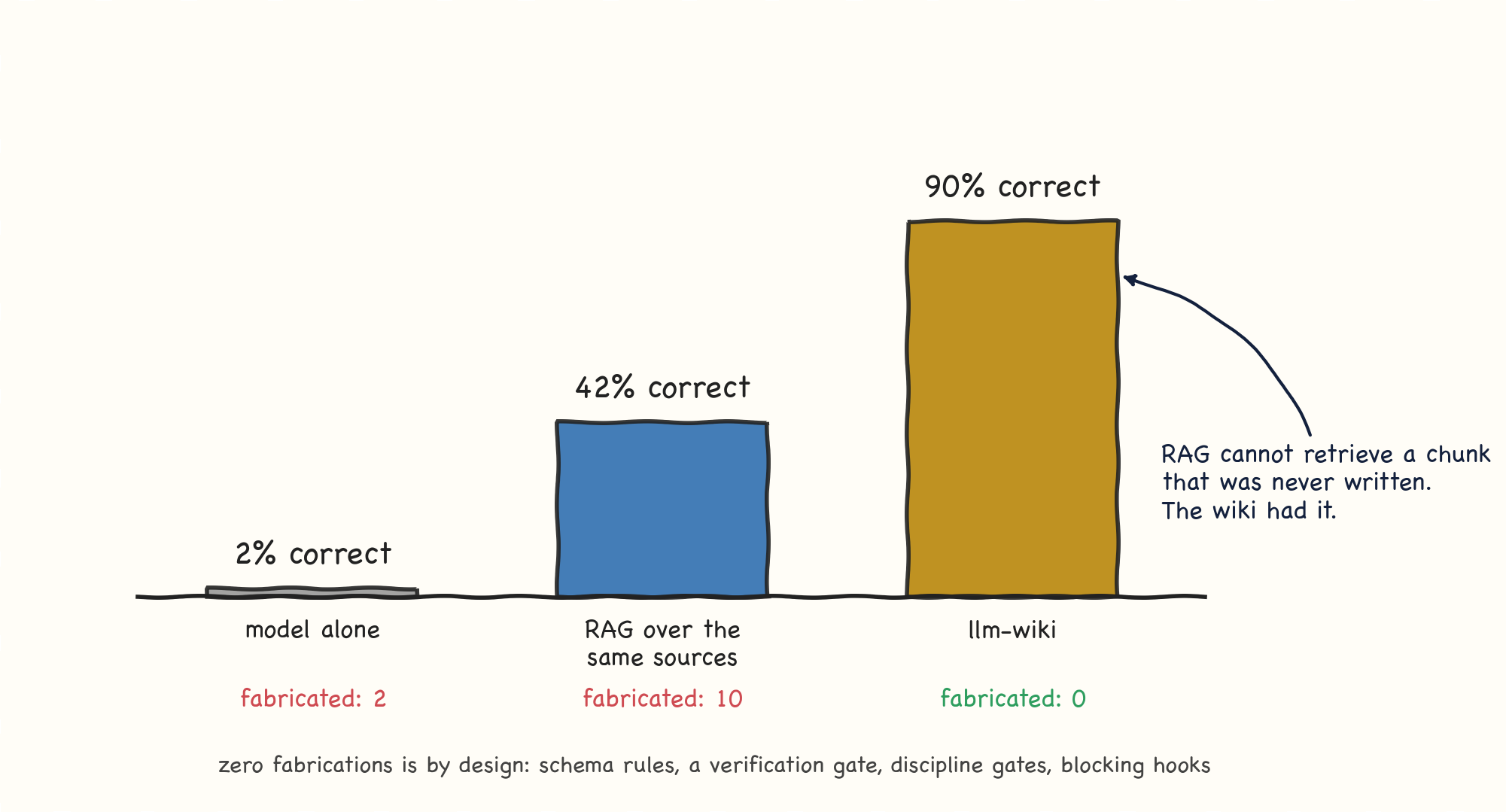
Does the memory work?
Forty questions on one real research project
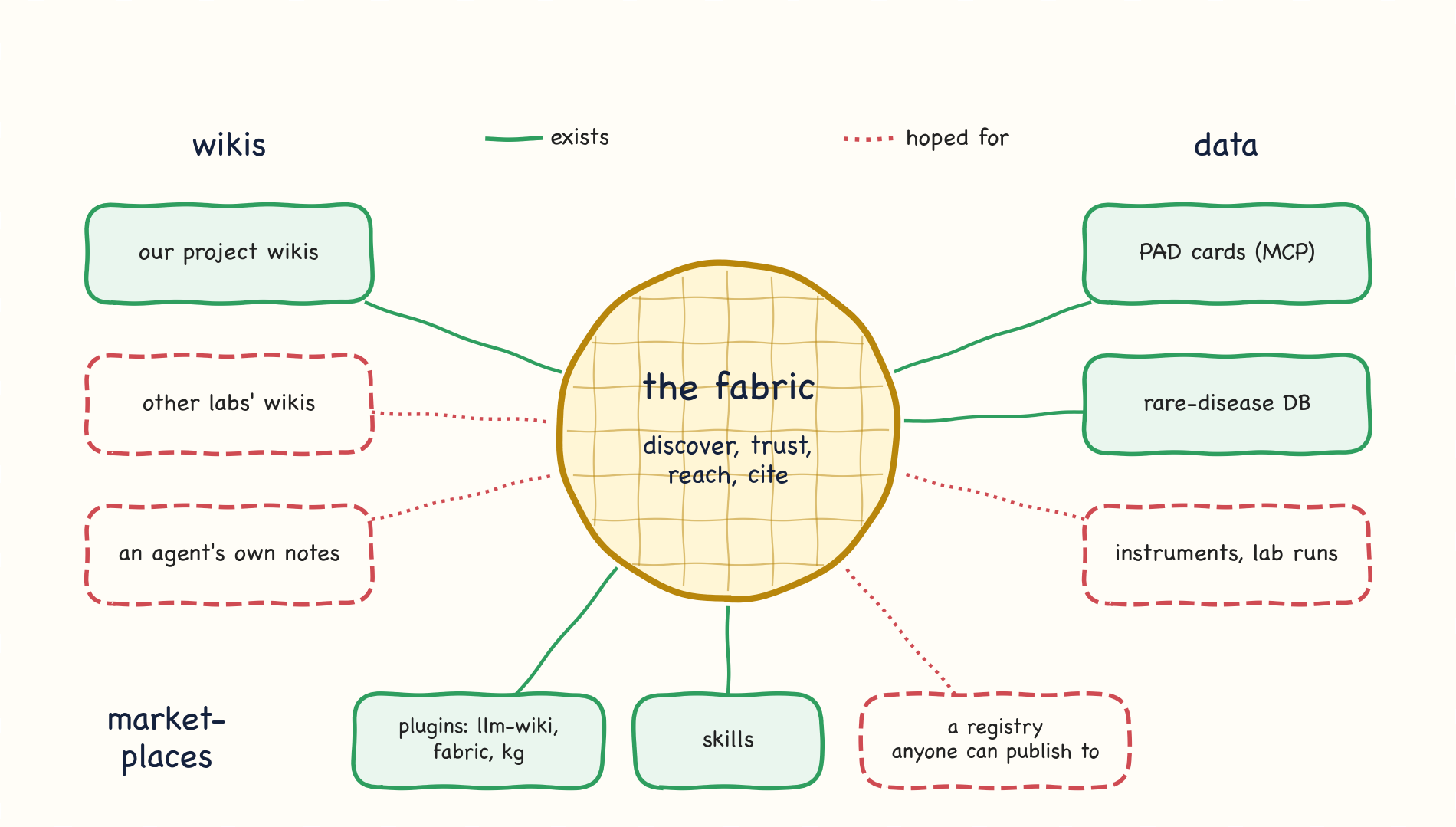
What we hoped for
The vision: a fabric that connects wikis, data and marketplaces
Why this matters for lab automation
Without the ecosystem, every instrument needs a hand-written adapter
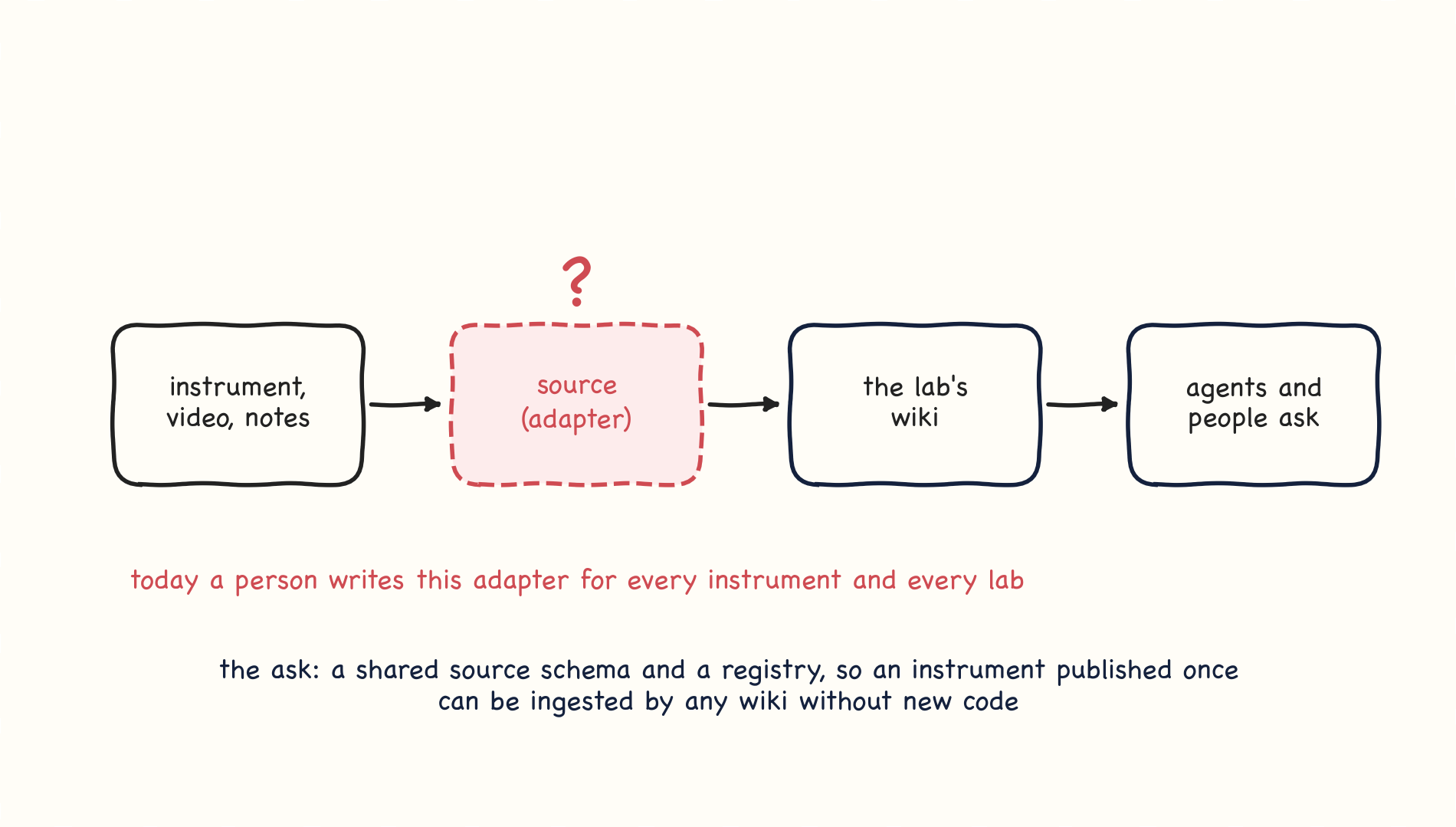
The ask
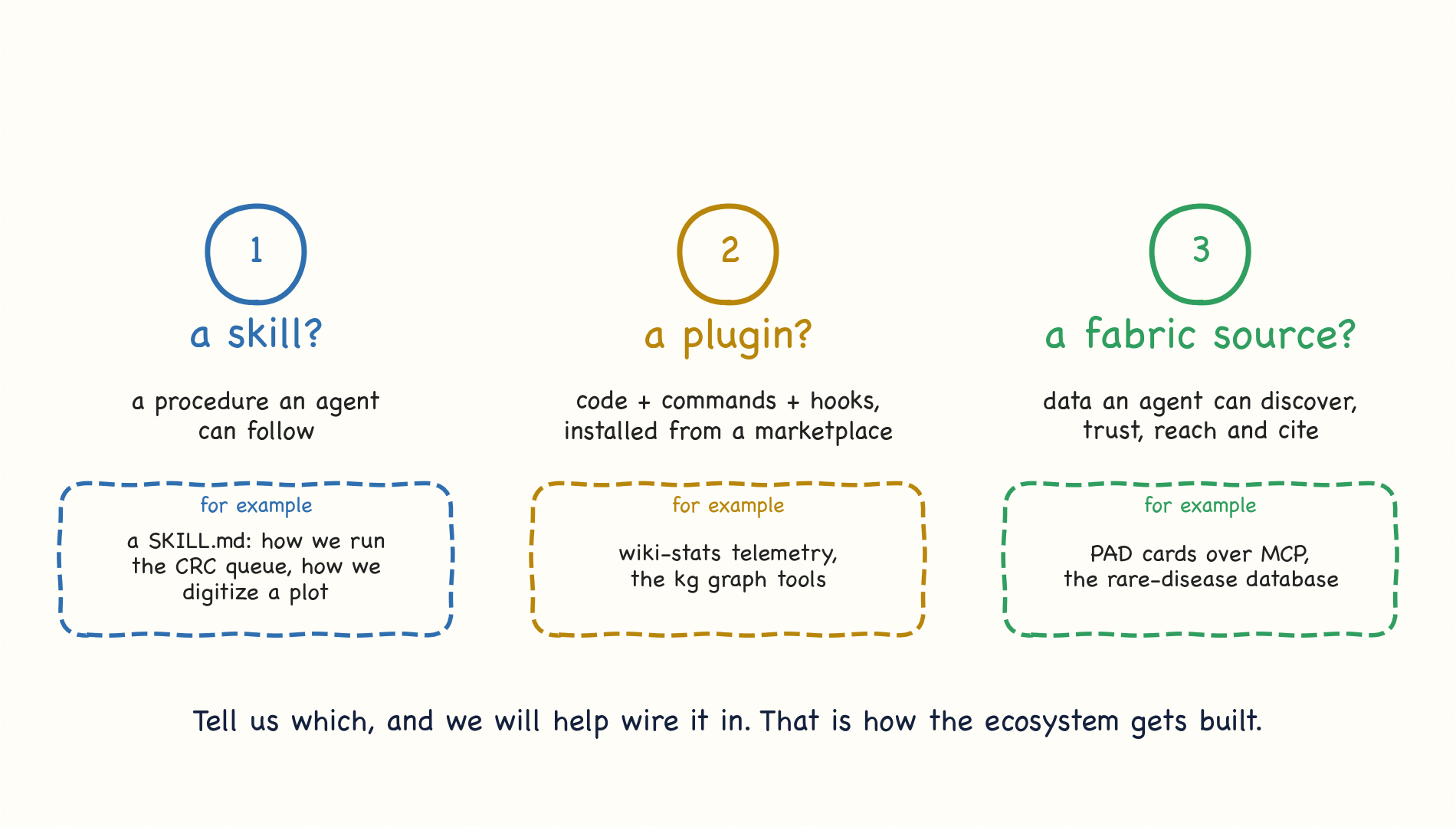
For each thing you build or run, three questions